
Flint
Fleet GitOps YAML linter and language server — catches configuration errors, typos, and misplaced keys before fleetctl gitops runs.
What it does
- Lint rules — structural validation, semantic checks, security hygiene, deprecation warnings
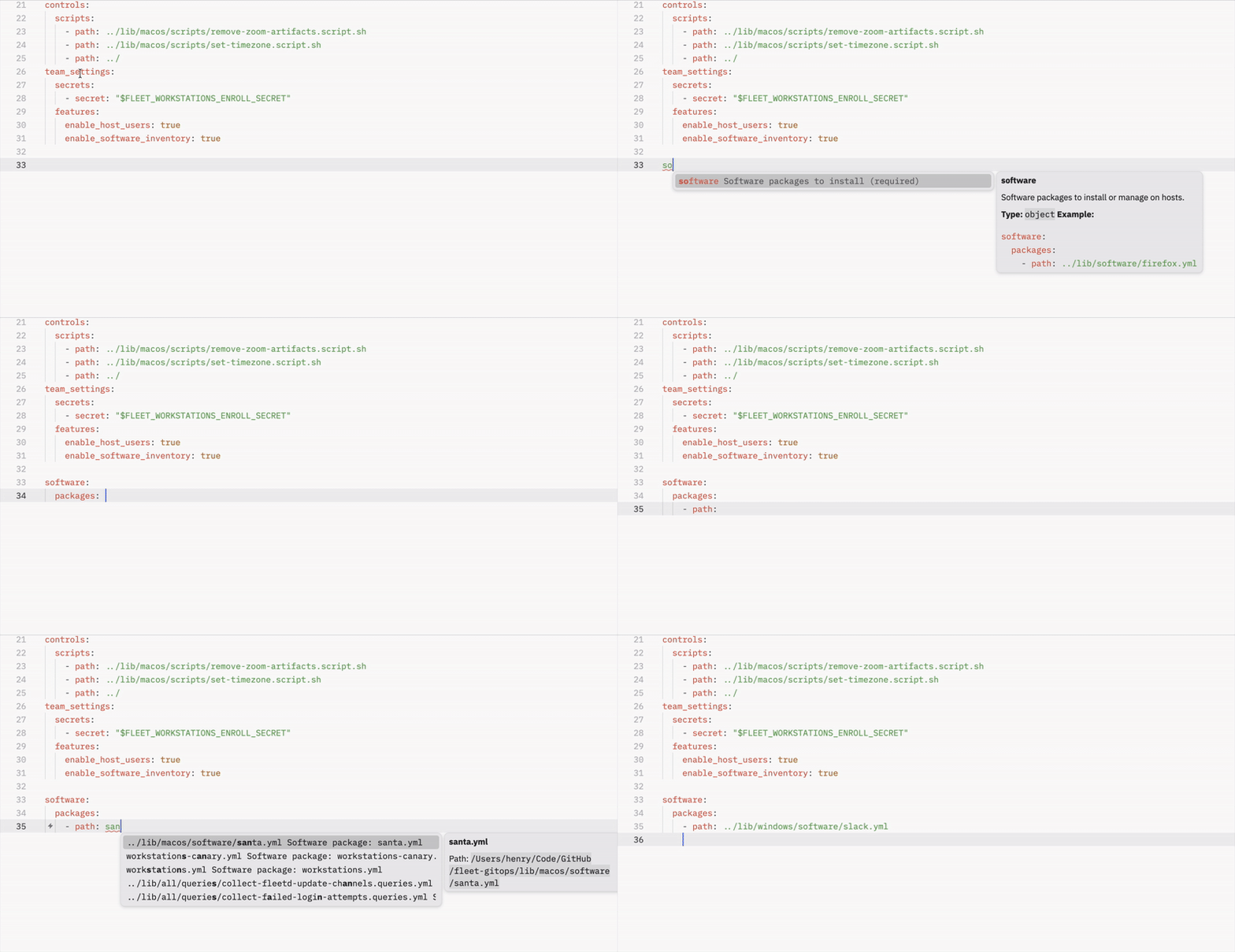
- LSP server — real-time diagnostics, completions, hover docs, go-to-definition, code actions
- Path tooling — fix broken
path:references after a reorg, and wire unwired profiles/scripts/software into fleets (Commands) - Generators — turn a
.pkg,.mobileconfig, or.sqlinto ready GitOps YAML; generate install policies and scripts - Migration reports — JSON-based migration planning for Fleet version upgrades
- Agent integration —
help-aiprogressive discovery for AI-assisted workflows
graph LR
  A[YAML files] --> B[flint check];
  A --> C[flint lsp];
  B --> D[Text / JSON output];
  C --> E[Editor diagnostics];
  C --> F[Completions & hover];
  C --> G[Code actions];
Quick start
macOS — download the signed & notarized PKG:
Linux — statically linked, runs on any distribution:
curl -fsSL https://raw.githubusercontent.com/headmin/fleet-editor-extensions/main/scripts/install.sh | sh
The loop: check → dry-run → fix
1. Look at your repo. No configuration needed, nothing is written.
2. Ask the real question — would fleetctl gitops accept this?
PASS means nothing flint knows about will fail the apply. Warnings are
advisory and do not block; add --strict to gate on them too. The exit code
is 0 for pass and 2 for blocked, so it drops straight into CI.
3. Fix the easy things — typo'd keys, deprecated renames, and path:
references that moved:
4. Optional — narrow the scope, if your repo holds directories flint
should leave alone. flint init walks them, asks in or out for each, shows
how many files each answer puts in scope, and writes fleetlint.toml.
5. Put it in CI. --format github emits annotations on the lines they
refer to in a pull request — no token and no gh required.
- run: curl -fsSL https://raw.githubusercontent.com/headmin/fleet-editor-extensions/main/scripts/install.sh | sh
- run: flint check . --format github
Everything else — flint gen for YAML from real
artifacts, flint paths for reference repair and
wiring, flint fleet for
read-only instance views — is optional. flint --help lists it all.
Editor support
| Editor | Install |
|---|---|
| VS Code | Download flint-0.2.0.vsix → Extensions: Install from VSIX |
| Zed | Download flint-zed-0.2.0.zip → install flint binary to PATH |
| Sublime Text | Install flint binary, add LSP-flint config |
| Neovim | Install flint binary, configure as LSP with cmd = {"flint", "lsp"} |
How it works
Flint validates Fleet GitOps YAML at two levels:
- Structural — unknown keys, misplaced keys, typo suggestions (Levenshtein distance), missing required fields
- Semantic — platform compatibility, label consistency, date formats, secret hygiene, path/glob validation
All validation runs offline with no Fleet server required. The schema is regularly cross-checked against Fleet's Go source for accuracy.